HomeDen Connect
What you explain in the chair
follows them home.
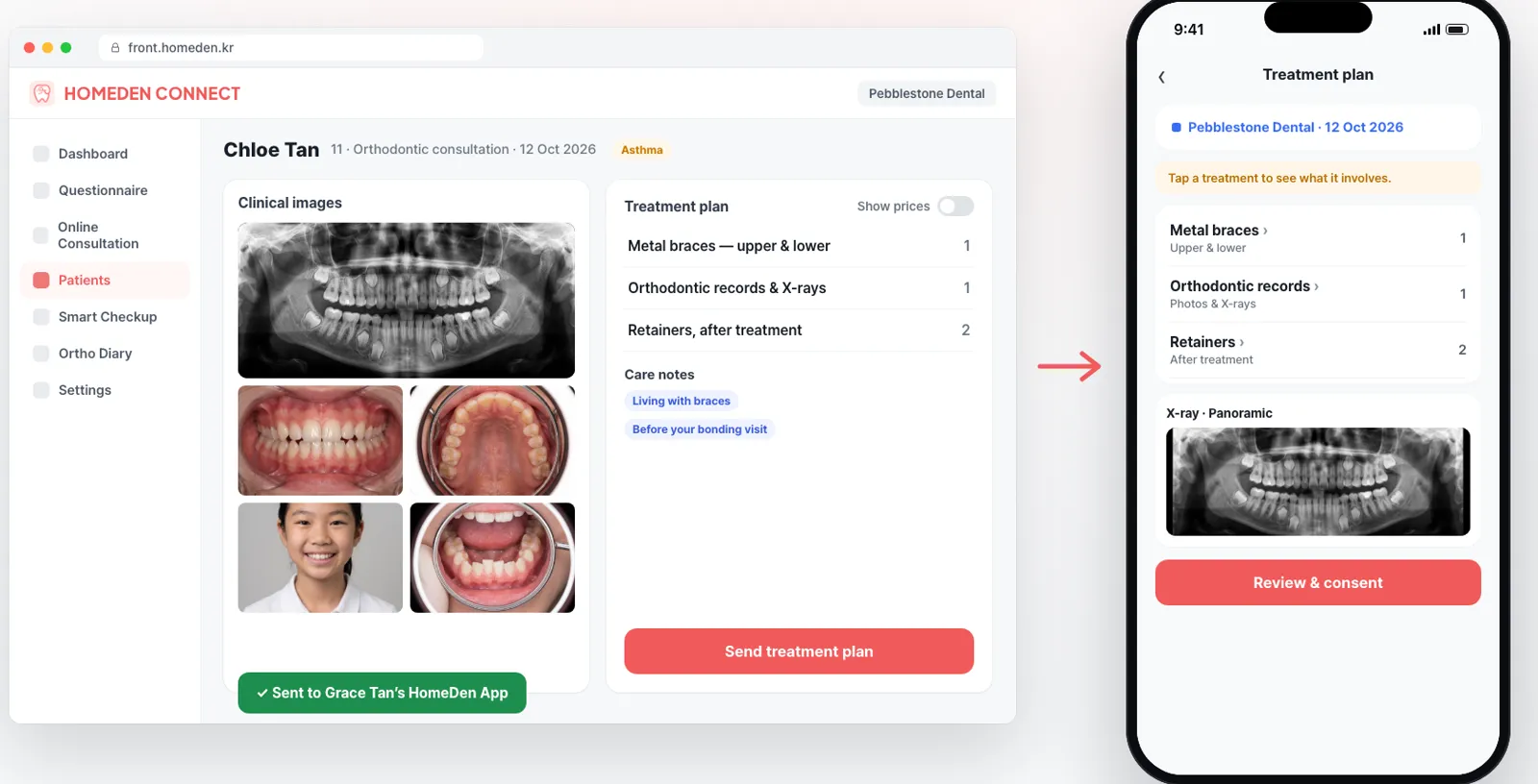
HomeDen Connect sends clinical photos, treatment plans and orthodontic records to your patient's HomeDen App, so they can look again at home and decide with their family.
- Drop a folderSorted and aligned by AI
- Straight to the appPlans, X-rays, care notes
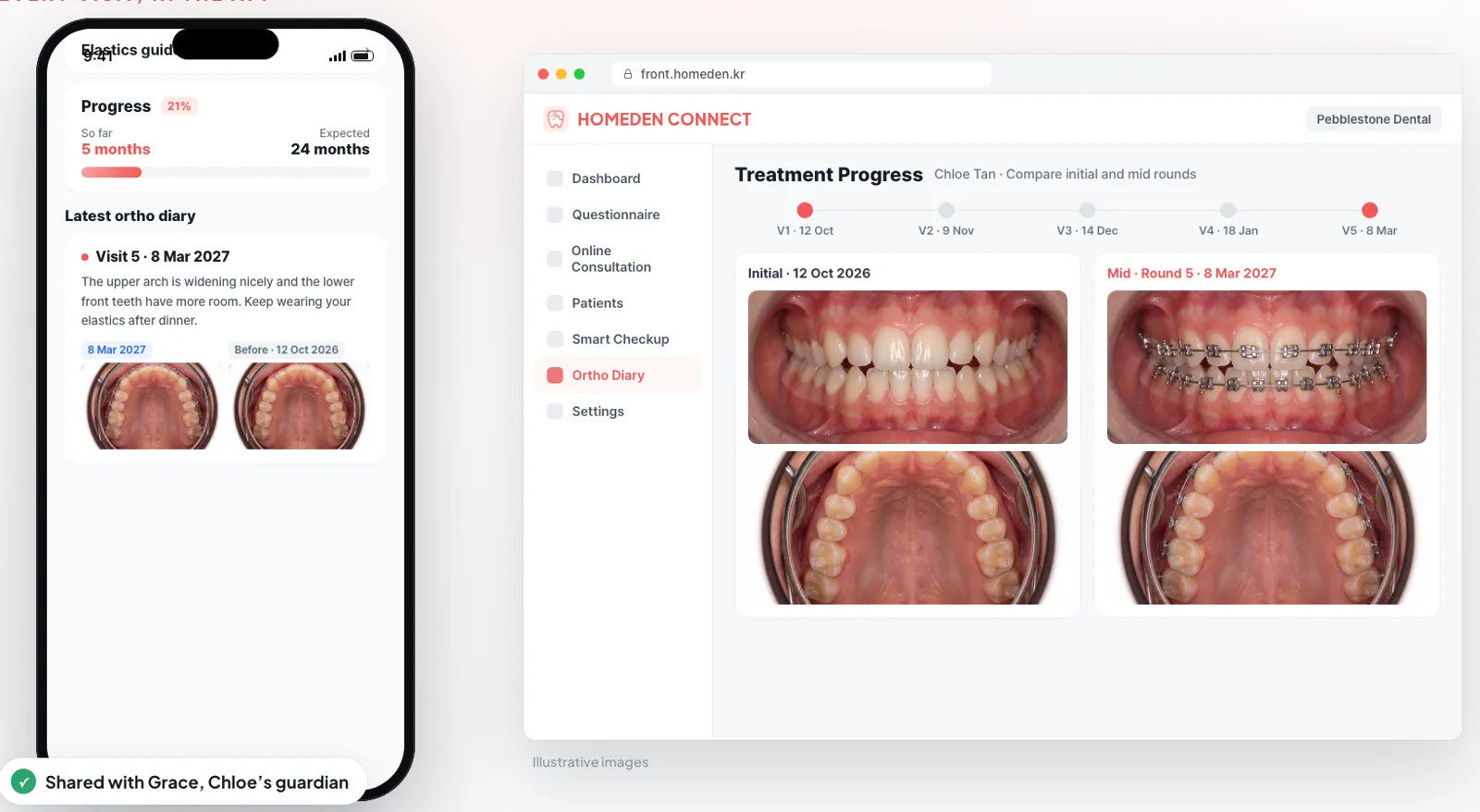
- Every visitAdded to the ortho diary
After the consultation
In the chair, patients hear a lot.
At home, they remember a little.
Even an explanation walked through on the X-ray fades by dinner. If patients can't pass it on to their family, the decision ends with “We'll think about it.”

- “We'll talk it over and call you back.”Parent → treatment coordinator
- “Which folder were last visit's photos in?”Coordinator → assistant
- “Did we get the consent form signed?”Consultation room → front desk
- “Why is this patient coming in today?”Front desk → dentist
Instead of a paper formA clipboard in the waiting room
It starts before the first visit
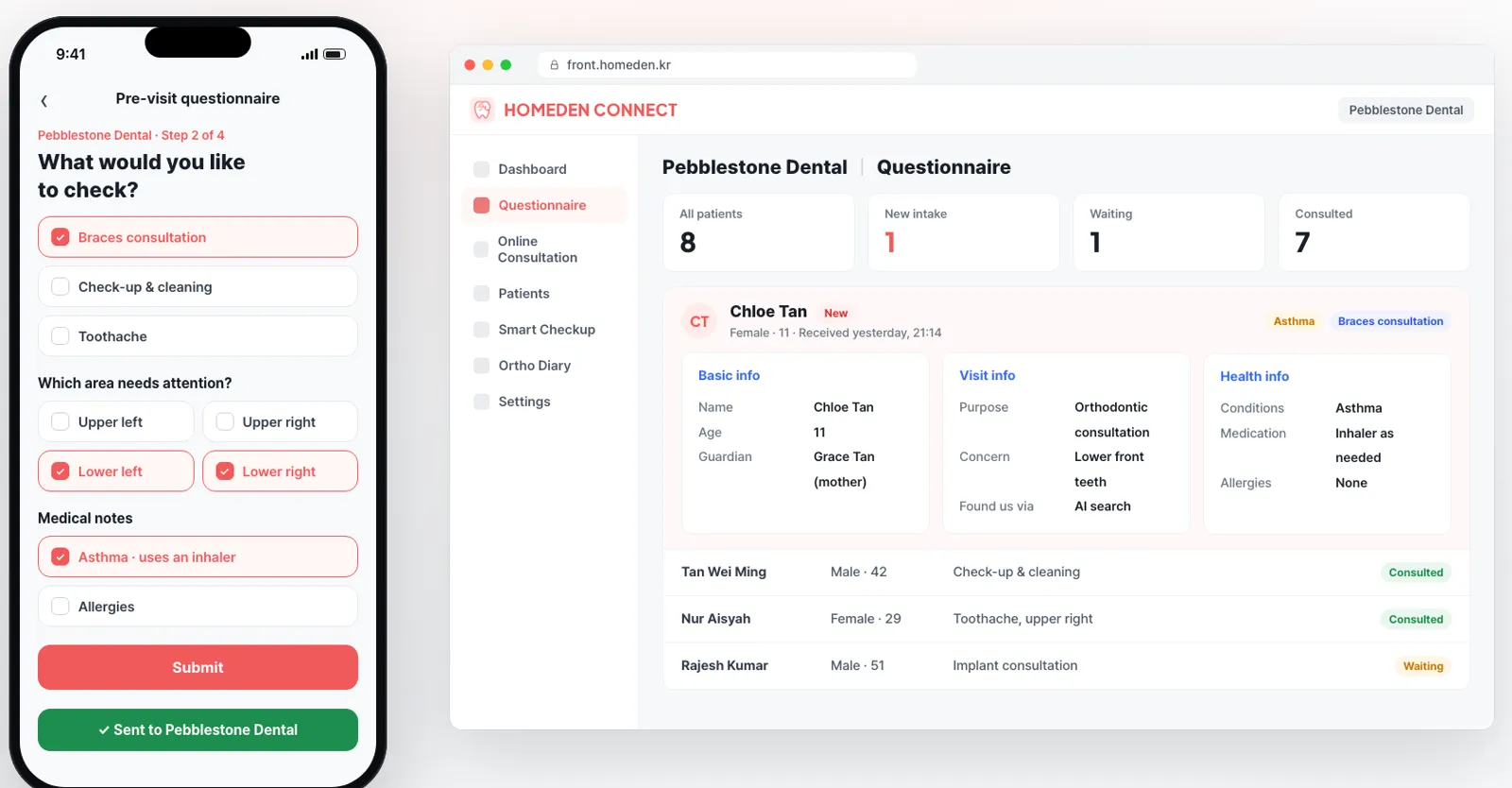
Patients fill in a pre-visit questionnaire on their phone. The clinic sees why they're coming, which area to check and their medical notes before they arrive.
Instead of sorting foldersRenaming photos and building slides by hand
Drop in the folder. That's it.
Upload a visit's photos at once. They're sorted into intraoral, extraoral and X-ray, faces are aligned, and a diagnosis consultation deck is built for the chair.
Instead of paper handoutsPrintouts that get lost on the way home
Every visit adds to the diary
The plan, the X-rays and the care notes go straight to the HomeDen App, and each visit adds to the ortho diary. Progress is always one tap away, for the patient and for a guardian following along.
That evening
This time, the whole family
sees what the dentist explained.
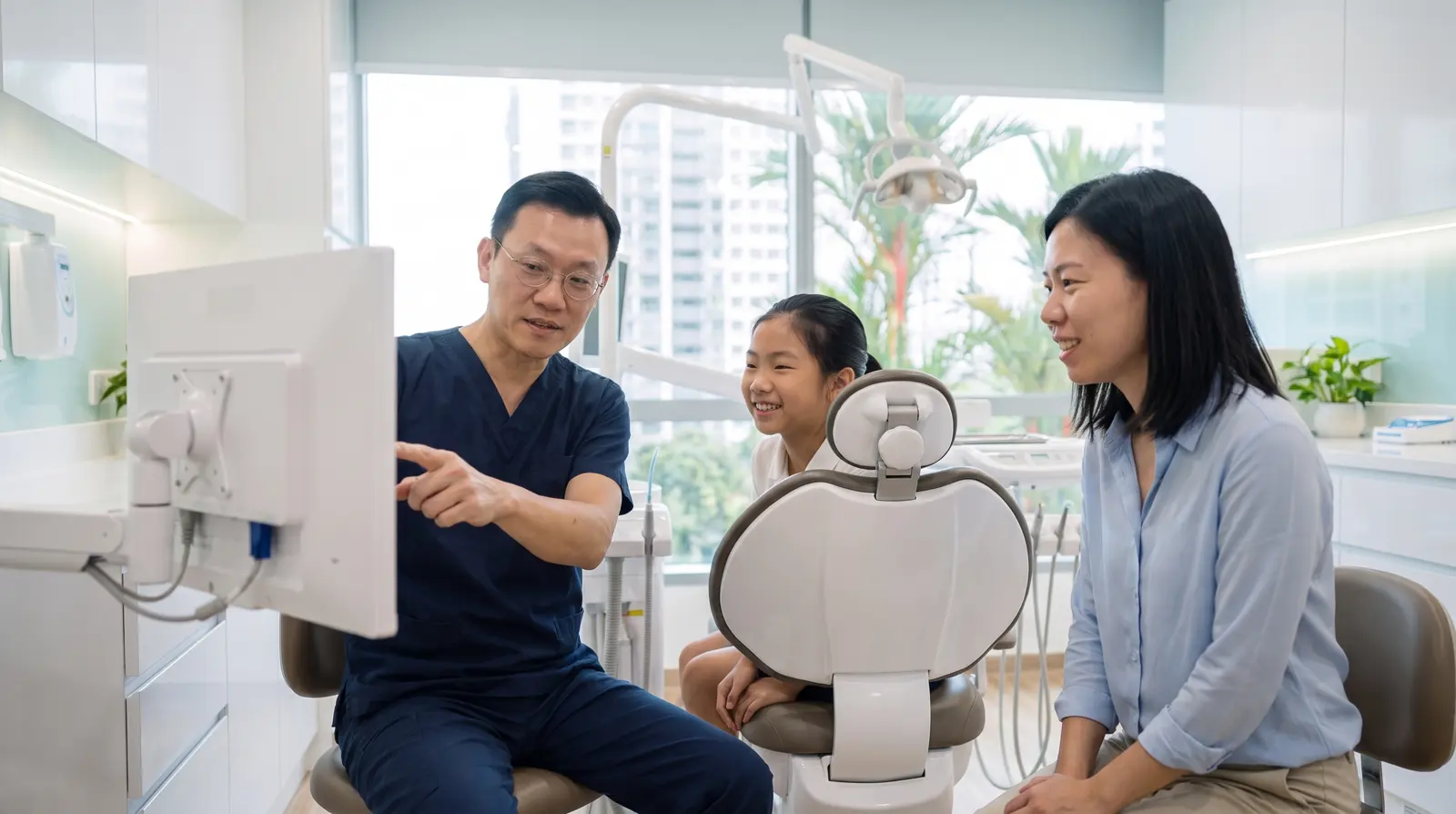
The photos, the plan and the next steps are in the HomeDen App. Patients look again at home, show their family, and decide together.

And more
From the first question to the next visit
- Smart CheckupAI marks areas worth a closer look on oral photos. The dentist confirms every finding.
- Online consultationAnswer the questions patients send from the app.
- Consent in the appPatients read and sign treatment consent on their phone.
- Care notesGuidance for each stage, like living with braces, sent with the plan.
- Progress comparisonLine up the first visit and the latest one, side by side.
- Guardian sharingParents follow their child's treatment in their own app.
1-minute film
See HomeDen Connect in one minute.
Before you start
Frequently asked questions
Do patients need to install an app?
The pre-visit questionnaire opens from a link on their phone. Plans, photos and the ortho diary live in the HomeDen App.
Does the AI make the diagnosis?
No. What the AI marks is a reference for the dentist. The diagnosis and the treatment plan are always the dentist's call.
Can a guardian see the records?
Yes. Records can be shared with a guardian, such as a parent following a child's orthodontic treatment.
Where do existing users sign in?
At front.homeden.kr(opens in a new tab) (Korean).
How do we get started?
Leave an inquiry. We'll ask how you handle consultations and clinical photos today, then suggest where to start.
What happens in the chair
follows the patient home.
Tell us how you handle consultations and clinical photos today, and we'll show you where HomeDen Connect fits.