Dr.Arrange
Put down the walkie-talkies
and sticky notes.
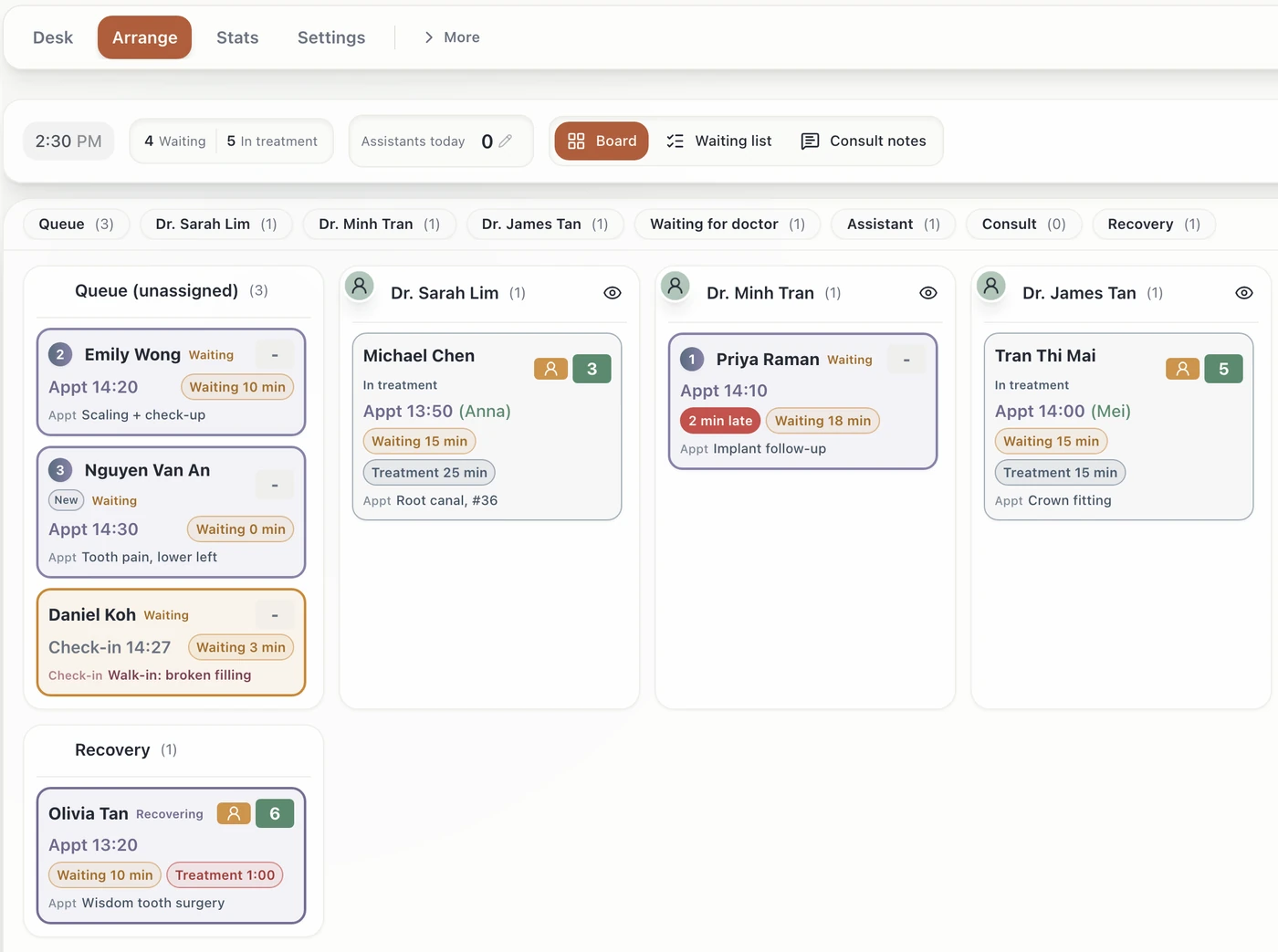
Keep the charting system you already use. Dr.Arrange puts the front desk, treatment rooms, doctor's office and waiting room on one screen. Just check patients in from the chart.
- Same chartsNothing to migrate
- One screenDesk to waiting room
- 10+ chairsEssential for mid-size clinics
Sound familiar?
Stick it. Ask. Run.
Radios that never stop, sticky notes on every monitor. Which chair is the doctor in? Who's next? Someone has to ask, every time.
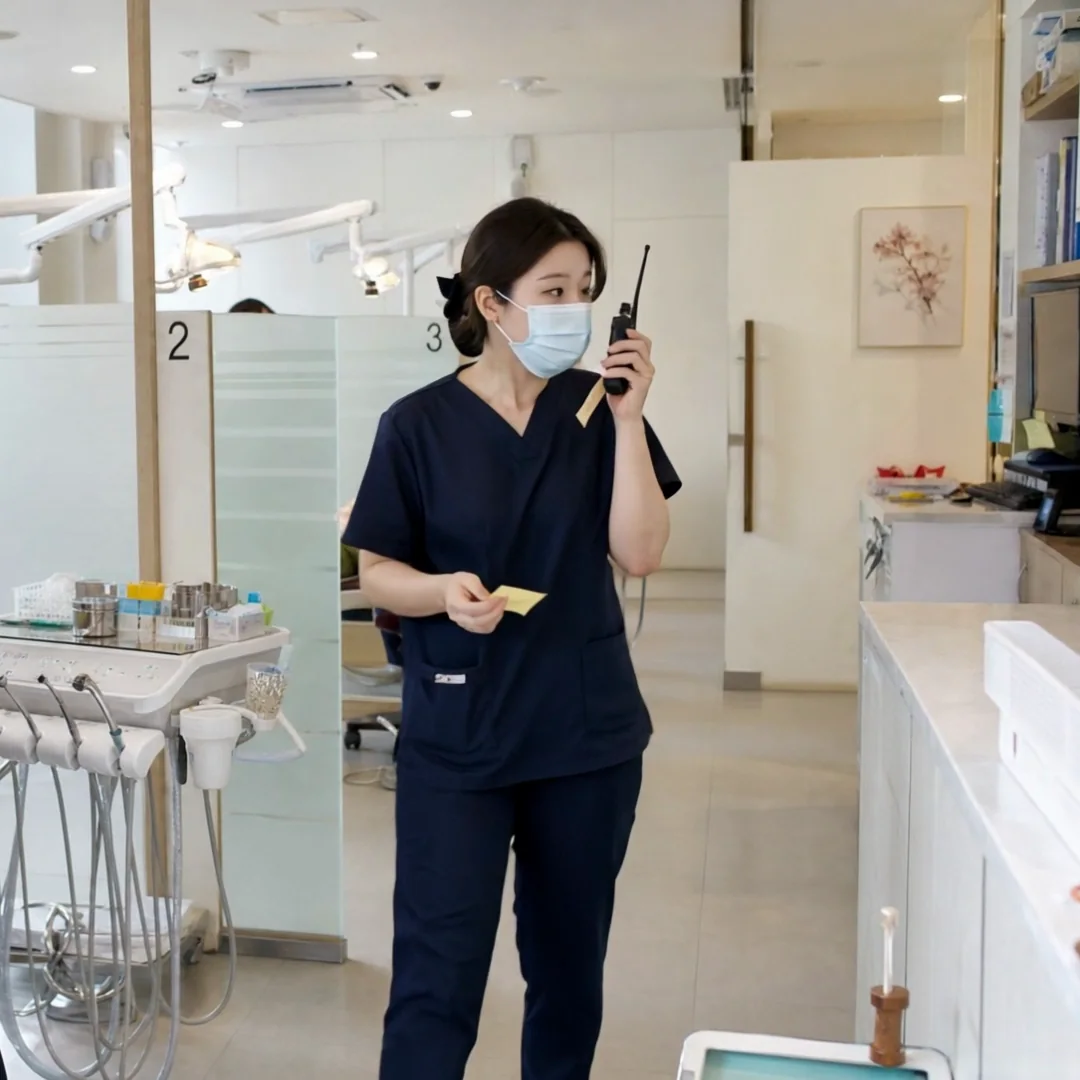
- “Doctor, which chair are you in?”Front desk → treatment room
- “Chair 7 is ready for Lucas Ng!”Treatment room → doctor
- “After Chair 7, which chair is next?”Assistant → doctor
- “Please send Lucas Ng in.”Treatment room → front desk
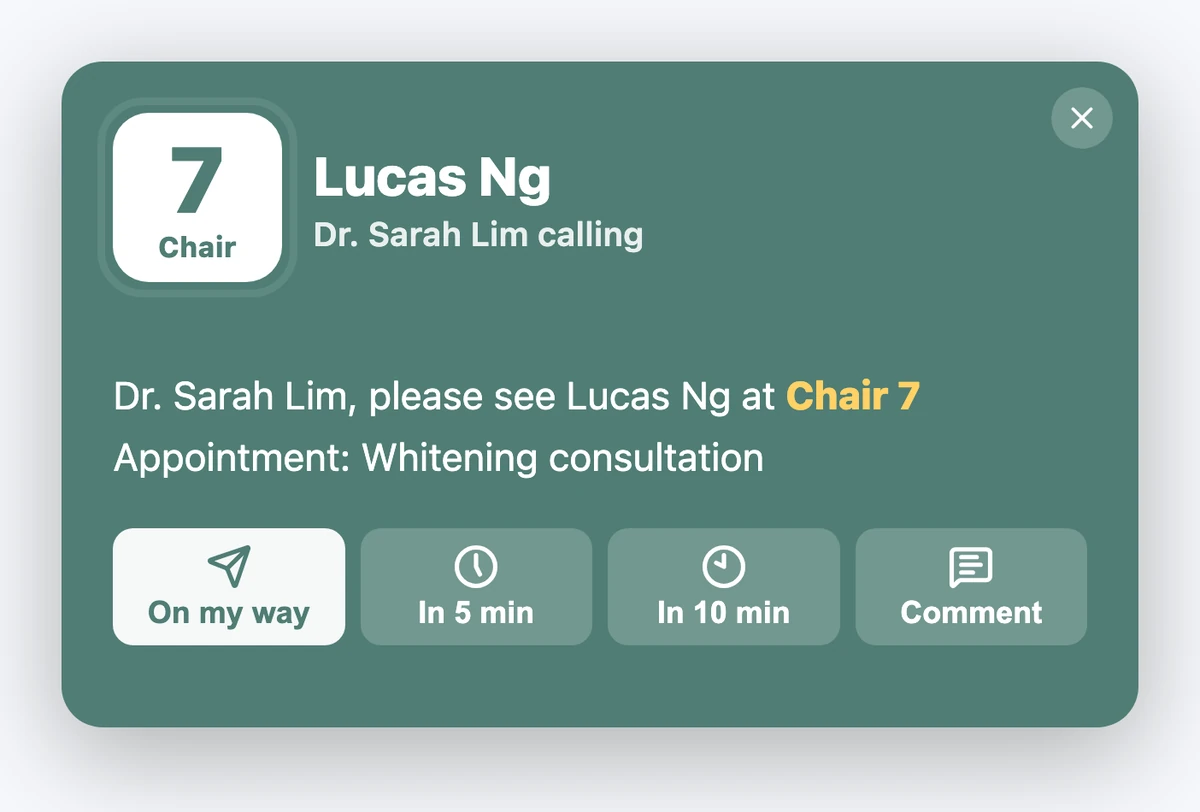
Instead of the radio“Chair 7 is ready for Lucas Ng!”
Calling the doctor takes one button
When the chair is ready, press the doctor button. The doctor's PC shows the chair, the patient and the treatment. One click on “On my way” or “In 5 min”, and the treatment room and front desk both know.
Instead of sticky notesNotes taped to the monitor
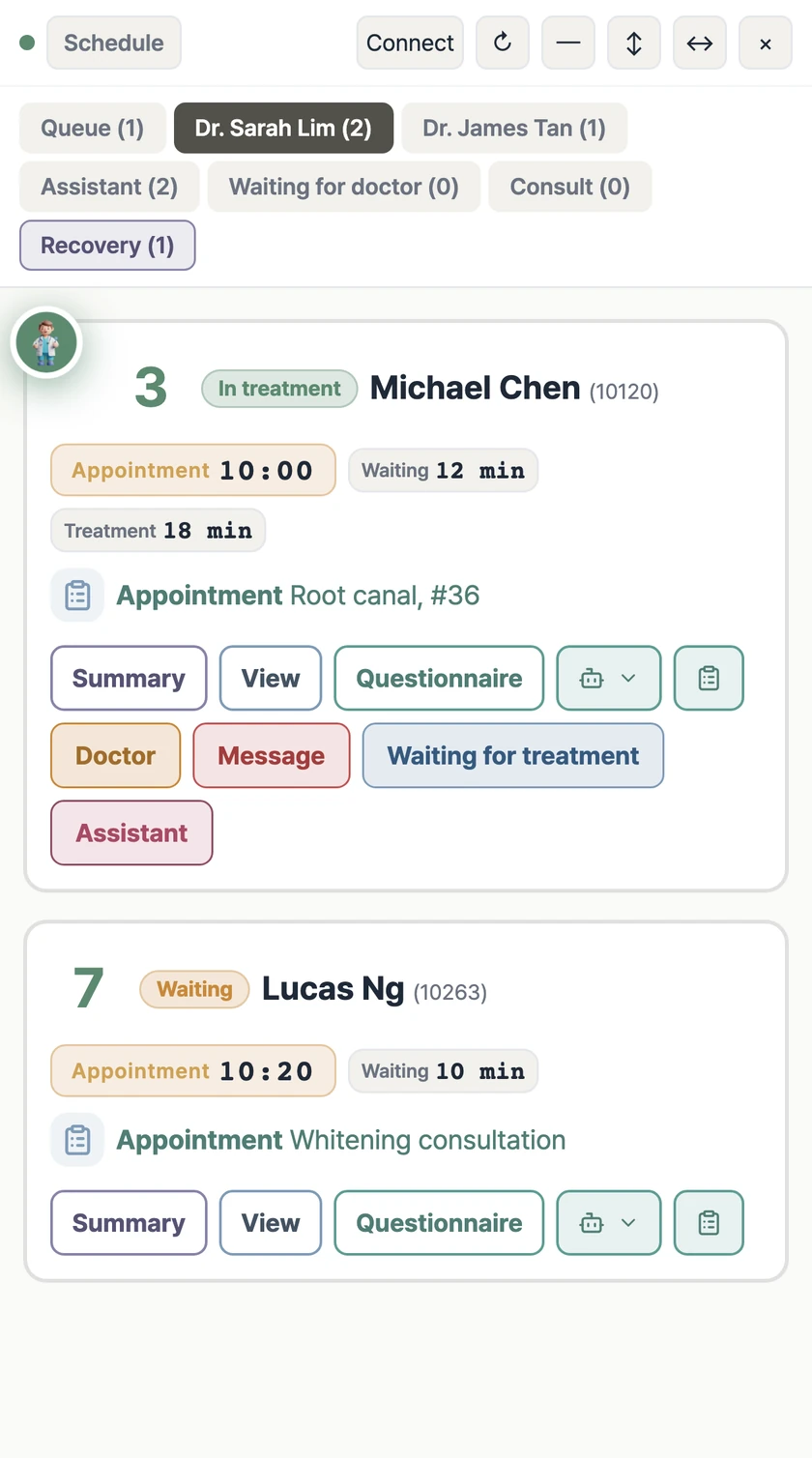
Notes become one card
Chair number, treatment and how long the patient has waited, all on one card. Notes left at the front desk show up on the chair screen too.
Instead of the radio“Please send Lucas Ng in.”
Calling a patient takes one button
Press call at the chair, and the waiting-room screen shows the patient's name and chair number. Patients see their name and walk straight to their chair.
And more
Everything that used to take a radio call or a sticky note
- Doctor locationEach card shows which chair the doctor is in.
- Who's nextDrag to reorder, and every chair and the front desk see the same order.
- MessagesPick common phrases from buttons and send them only to the right doctor's PC.
- NoticesA notice stays on the card until it's done, then the doctor is told.
- Overnight chart summariesToday's charts are read ahead of time.
- Long-wait alertsThe screen flags patients who have waited too long.
2-minute film
See a radio-free clinic in two minutes.
Before you start
Frequently asked questions
Do we have to switch charting systems?
No. Dr.Arrange only reads your existing chart. We never migrate records or change how you already work. We'll confirm your charting system is supported during a consultation.
How is it installed?
Install it once on the front-desk PC, and updates are automatic after that. Which screens go in the treatment rooms, the doctor's office and the waiting room is decided together during onboarding.
How is patient personal data handled?
Personal data in chart summaries is masked inside the clinic before anything leaves it. If masking fails, nothing is sent.
Do AI summaries make diagnoses or treatment plans?
No. AI chart summaries are drafts for clinicians to review. Diagnosis, treatment decisions and patient explanations stay with the clinical team.
Can we try it before deciding?
Send a demo request. We'll check your charting system and how your treatment rooms run, then show you a setup that fits your clinic.
No radios, no sticky notes.
Just patient care.
We'll check your charts and how your treatment rooms run, then show you a screen setup that fits your clinic.